
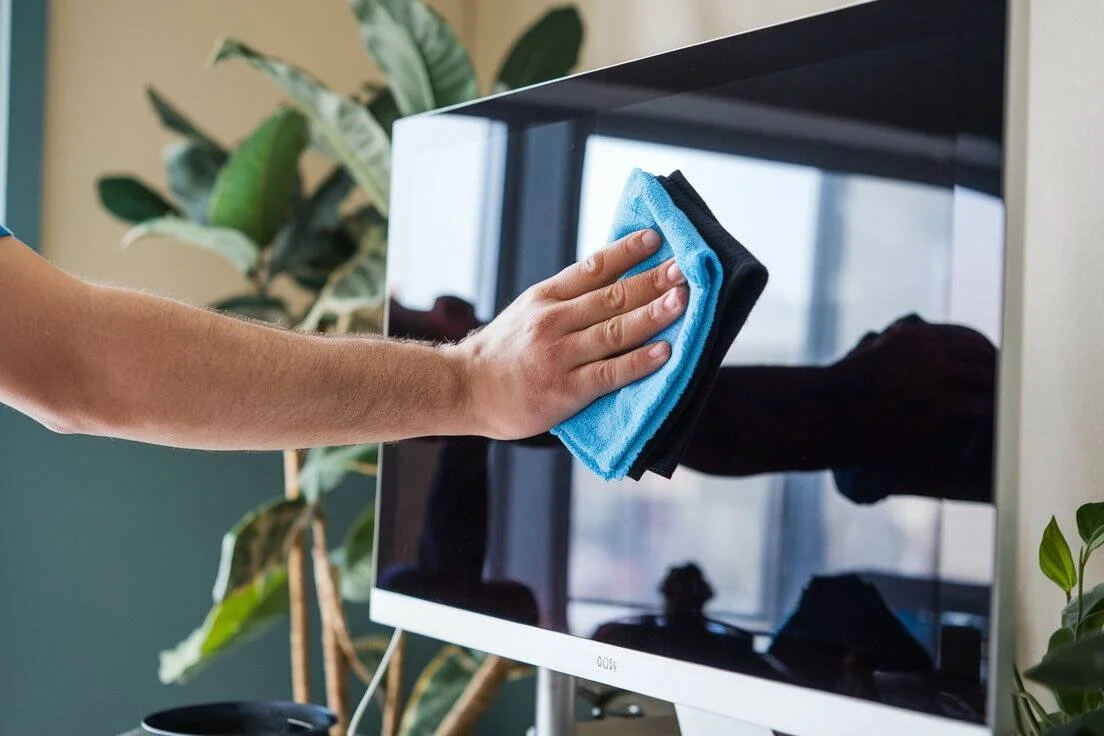
Mostly. Or maybe the whole screen looks like a toddler’s art project. You grab a cloth, maybe some Windex. **Cleaning an iMac screen the wrong way is the fastest path to permanent coating damage. Weird clouding.**I’ve seen too a lot of pristine iMacs turn cloudy because someone used a single paper towel with glass cleaner—$19 seems cheap compared to a $600 display replacement. Let that sink in for a second. This guide walks you through exactly how to clean an iMac screen without destroying the anti-reflective coating. Whether you’ve standard glass or the fussy nano-texture finish.
TL; DR
- Use only a soft, lint-free microfiber cloth and 70% isopropyl alcohol or water—window cleaners with ammonia will strip the oleophobic coating within a few wipes.
- Never spray liquid directly onto the screen; dampen the cloth, then wipe gently to prevent moisture from seeping into the bottom bezel and shorting internal electronics.
- Nano-texture iMacs (Pro Display XDR, 2020+ iMac) demand the $19 Apple Polishing Cloth or an identical non-abrasive microfiber; anything else scratches the etched glass permanently.
Quick Action
- Power off and unplug first—you can’t see dust on a backlit display, and static discharge won’t help.
- Keep a dedicated microfiber cloth only for your iMac, never laundered with fabric softener—residue from dryer sheets leaves a film that actually attracts more dust.
- Distinguish between standard and nano-texture glass before touching the screen; nano-texture has a matte, paper-like feel and requires zero pressure.
- If you’ve already used a harsh cleaner and see clouding, skip the elbow grease—you’ve chemically stripped the coating, and only a professional re-coating or panel replacement will fix it.
What You’ll Need to Clean an iMac Screen Safely
Gather everything before you start.Skill level: absolute beginner.
- Soft, lint-free microfiber cloth — the kind that comes with eyeglasses works, but Apple’s Polishing Cloth or a high-quality detailing cloth is better. Avoid anything with a textured pattern.
- 70% isopropyl alcohol (IPA) wipes or spray — not 90% or 99%, which evaporates too fast and can leave residue. Apple officially approves 70% IPA or 75% ethyl alcohol for disinfecting non-porous surfaces.
- Distilled or demineralized water — tap water contains minerals that can leave faint watermarks, especially on nano-texture glass.
- Two clean microfiber cloths (one for dry dusting, one for damp cleaning) — cross-contamination with dust particles is a real scratch risk.
- Compressed air or a rocket blower (optional) — for stubborn debris in the edges.
- If you own a nano-texture iMac, you also need the Apple Polishing Cloth (or a cloth with identical soft, non-abrasive weave) and nothing else for regular cleaning.
Step 1: Power Off and Unplug the iMac Completely
Shut down your Mac and pull the power cable from the outlet, not just from the back of the computer.
A black screen reveals dust, smudges, and oily patches that the backlight hides; plus, a powered-on display creates a tiny static field that pulls more airborne lint onto the glass right after you clean it. Wait 30 seconds for any residual charge to dissipate. If you’re in a dry climate, touch a grounded metal object before handling the cloth to avoid static discharge. Move the iMac to a well-lit spot, ideally with natural light from the side, so you can see every imperfection. Place a soft, clean towel under the stand if you’re cleaning near a hard surface.
Step 2: Identify Your iMac’s Screen Type Before Touching It
Naturally, here’s the thing – apple iMacs ship with one of two display finishes: standard glass (glossy, on most iMacs 2015–2020, and all M1/M3 iMacs unless you chose nano-texture) or nano-texture glass (matte. That’s a significant gap.The damage is subtle at first—a slight haze, then spreads.
A rapid way to check: if the display reflects light like a mirror. It’s standard glass; if reflections are diffuse and the surface feels almost like paper, you’ve nano-texture. In the description, when in doubt.
Look up your exact model in System Information → Graphics/Displays; nano-texture models show “Nano-texture glass” right.
How does the cleaning method change for nano-texture glass?
You can’t use the same dampened cloth approach, and for nano-texture, you either use the Apple Polishing Cloth dry (or slightly dampened with distilled water only).
Which brings up an interesting point. Or a 70% IPA wipe in extreme cases—but with zero pressure.
Standard glass tolerates a bit more moisture and gentle circular motions.
Step 3: Dry Dust the Entire Screen First
Take a clean, dry microfiber cloth and very lightly wipe from top to bottom in straight lines.
This picks up loose dust and grit that would otherwise turn into micro-scratches the moment you wet the screen. Use a rocket blower or canned air (held upright, 6 inches away) to blow debris out of the bottom edge gap where the glass meets the aluminum chin, dust loves that crevice. Never use compressed air directly on the display surface; the push forwardlant can spit liquid and freeze the glass. For standard and nano-texture alike, avoid circular buffing at this stage, which just grinds particles into the coating. I’ve found that a quick pass with a lens brush helps lift stubborn lint from the corners, especially on the 24‑inch M1 iMac where the bezel is so thin.
Step 4: Damp Cleaning Standard Glass (Glossy iMacs)
Wring out the cloth until it won’t drip. If you see liquid beading on the glass, the cloth is too wet and will wick moisture into the bottom bezel seam, which is the #1 cause of backlight “stage light” effect. For oily fingerprints, use a second pass with a different section of the cloth. Don’t press, let the dampness do the work. Immediately follow with a dry portion of the cloth to buff away any streaks.
What if I see streaks after using just water?
From a broader view. Challenging water minerals can leave a faint film. Dampen your cloth with a 50/50 mix of distilled water and 70% isopropyl alcohol. Wring thoroughly, and wipe once more, the alcohol cuts the mineral residue. Hard to ignore those numbers. Then buff dry immediately.
Step 5: The Nano-Texture iMac — A Separate, Delicate Cleaning Routine
Apple’s official guidance says use only the Polishing Cloth or a soft.
I’ve gotten away with adding a single drop of distilled water to the cloth for a truly stubborn oily smudge, but I treat the glass like a coated camera lens: zero downward force, no rubbing, just a featherlight wipe. For disinfecting (rare), Apple permits a 70% IPA wipe on nano-texture. Let that sink in for a second. But I wouldn’t risk it unless there’s a genuine hygiene need. Any other cleaner risks permanently fogging the etched surface.
Step 6: Disinfecting Without Corroding the Coating or Bezel
Apple officially recommends 70% isopropyl alcohol wipes or more or less 75% ethyl alcohol wipes on tough.
Gently wipe the screen with a Clorox Disinfecting Wipe (the type without bleach, obviously) or a lint-free cloth dampened with 70% IPA. Hard to ignore those numbers. Don’t let any liquid pool near the edges, and after 30 seconds of contact time, buff dry with a clean microfiber. Cracks over time; that’s what happens when avoid bleach, hydrogen peroxide, acetone. And any solution above 75% alcohol—higher concentrations dry out the rubber gasket around the bezel. That’s not a small shift. Nano-texture those using it: skip this entirely; use a UV-C sanitizing wand if you must disinfect.
“Using a 70‑percent isopropyl alcohol wipe, 75‑percent ethyl alcohol wipe, or Clorox Disinfecting Wipes, you may gently wipe the hard, non‑porous surfaces of your Apple product.” — Apple Support
Troubleshooting Common iMac Screen Cleaning Mistakes
By most accounts, even careful people slip up. Here’s how to handle what goes wrong.
Cloudy patches after using Windex or generic cleaner
The only fix is to replace the display panel or, if you’re lucky, use an insanely light polishing compound to smooth the edges of the damage, but that often makes it worse. Prevention is everything.
Vertical “stage light” glow at the bottom of the screen
Moisture seeped in through the bezel seam. Turn off the iMac immediately, tilt it slightly so any liquid drains away from the internal connectors, and let it sit in a dry. Warm room for 48 hours. If the glow persists, a logic board.
Or backlight cable may be corroded, time for Apple service.
Lint and dust magnet after cleaning
Your cloth probably has fabric softener residue. Or you’re using a dryer-sheet-treated towel. Never use fabric softener or dryer sheets, not unlike when descaling a Keurig incorrectly, chemical residues cause hidden problems that only show up later.
Tiny scratches after using a paper towel
In a lot of cases, a single wipe scratches standard glass, but nano-texture gets it worse — more importantly, for mild scratches on standard glass, a screen protector can sometimes hide them. For nano-texture, the scratches are permanent.
What to Do Next: Maintain a Streak-Free Screen for Good
Dust the screen with a dry microfiber every 3–4 days. Keep the cloth stored near the iMac so, no, scratch that, you’re not tempted (depending entirely on the context) to grab a paper towel. Worth considering. But does it actually matter? Is what tons of Apple Store useees use on floor models, spray a small amount onto the included cloth, not once the display, and wipe gently. You’ve probably wondered the same thing. And to wrap it up, looks at a thin, removable screen protector for high-traffic areas. It won’t eliminate reflections but does save the coating from accidental fingernail swipes. If you own a nano-texture iMac, your best defense is simply a clean, dry Polishing Cloth and the discipline to not once let anyone else touch your screen.
- Label a dedicated microfiber cloth — keep it in a sealed bag next to your iMac and never use it for anything else.
- Dust the screen dry every 3 days — a quick top-to-bottom pass prevents oil migration from fingerprints into the coating.
- Dampen, never spray — even when using an approved spray like Whoosh!, always apply it to the cloth first, then wipe.
- Inspect for edge debris weekly — use a rocket blower to clear the bottom seam where dust and liquid can accumulate and eventually cause backlight damage.
- Replace your Polishing Cloth annually — for nano-texture owners, the cloth’s fibers trap microscopic grit over time; a fresh $19 cloth is far cheaper than a scratched display.
People Also Ask
Is it safe to use eyeglass cleaner spray on an iMac screen?
No. Most eyeglass sprays contain mild detergents or anti-fog agents that can interact with the oleophobic coating…which means stick to water or 70% IPA on the cloth. Kind of surprising, right?
Or a brand explicitly designed for coated displays like Whoosh!.
How do I clean the edges and bezels without damaging the screen?
Use a dry microfiber cloth. The thing is, or a soft-bristled brush (like a clean makeup brush) to loosen dust along the edge.
Naturally, then lightly dampen a cotton swab with water. The numbers confirm this, and carefully run it along the seam, actually, hold on, while tilting the iMac backward to prevent drips.
Can I use a magic eraser on stubborn marks?
Absolutely not. Magic erasers are abrasive melamine foam. And will instantly fog the glass surface, permanently. The thing is, if a mark won’t come off with a damp microfiber.
Why does my iMac screen look worse after cleaning?
If you see streaks or a haze, you either used too much liquid. A cloth with fabric softener residue, or a cleaning solution containing ammonia. Buff again with a fresh dry microfiber. If the haze remains.
Can I use distilled vinegar to cut grease?
No. More importantly, vinegar is acidic and can etch the anti-reflective coating over time.
A 70% IPA solution breaks down grease safely. And evaporates instantly without leaving mineral deposits. Not exactly what you’d expect. This detail matters more than it might seem right now.
How often should I clean the iMac screen?
Dry dust 2–3 times per week, and honestly, probably only disinfect during illness outbreaks or if multiple most of us use the machine.
🔍 Research Sources
Verified high-authority references used for this article